Folk vs Follow Up Reminder at a glance
| Folk | Follow Up Reminder | |
|---|---|---|
| Main job | Organize contacts and pipelines in a shared workspace | Remind you to follow up on LinkedIn |
| Contact database | Yes, imported and maintained | None — reminders only |
| Where you work | Folk web app plus extension | Directly on LinkedIn |
| Price | Paid plans per user | Free |
| Team features | Yes | No, built for individuals |
| Where data lives | In Folk's cloud | Locally in your browser |
Pricing and features of Folk change over time, so check their website for current details. This comparison focuses on how the two tools approach LinkedIn follow-ups.
What Folk does well
Folk is a modern CRM with a spreadsheet-like feel. You can import contacts from LinkedIn, email and other sources, group them, track pipelines and share them with your team. For people who want one tidy place for every relationship, it is a pleasant tool.
Why look for a Folk CRM alternative
A CRM is only useful if you keep it current. Many solo founders and consultants import contacts once, set up a few columns, and then stop opening the app because their actual conversations are on LinkedIn. The database drifts out of date, and follow-ups still slip.
Reminders where the conversation is
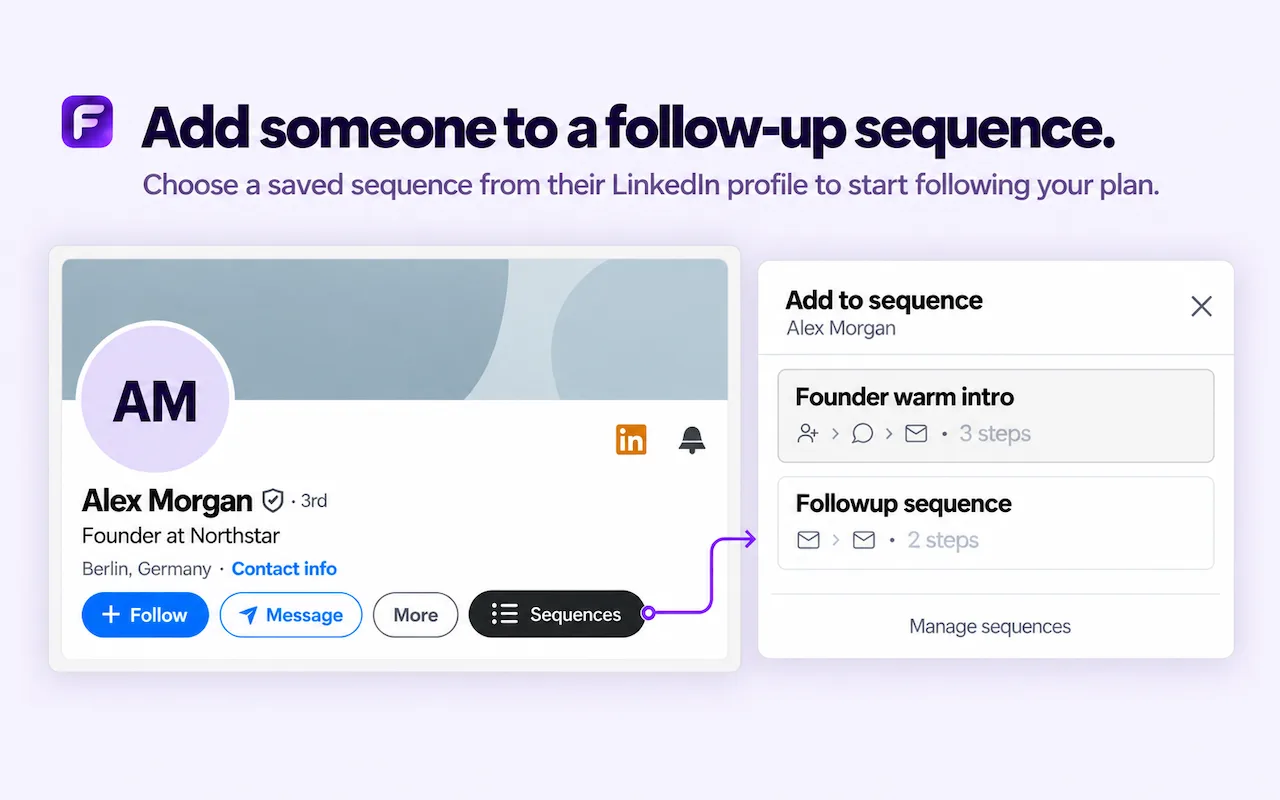
Follow Up Reminder skips the database. When a conversation needs a next step, you set a reminder from the LinkedIn profile, message or post itself. Want a few touches over two weeks? Add the person to a manual sequence in one click. Your list only contains things that need action, so it stays short, and when a reminder is done it is out of the way.
When Folk is the better choice
If you need notes on every person, shared pipelines with colleagues, or contacts from email and events in one place, a CRM like Folk is the right tool. A reminder extension will not replace that.
Choose Follow Up Reminder if…
- Your relationships mostly start and continue on LinkedIn.
- You've tried a CRM before and stopped updating it.
- You want zero setup and no import.
- You want a free tool that keeps data in your browser.
See every capability on the features page, or read how to follow up on LinkedIn for timing and wording tips. Whatever you pick, the habit matters most: end each conversation by deciding the next step and when you'll take it.