
Screenshots
See LinkedIn Reminders in action.
The product is small on purpose — here's every screen in action.
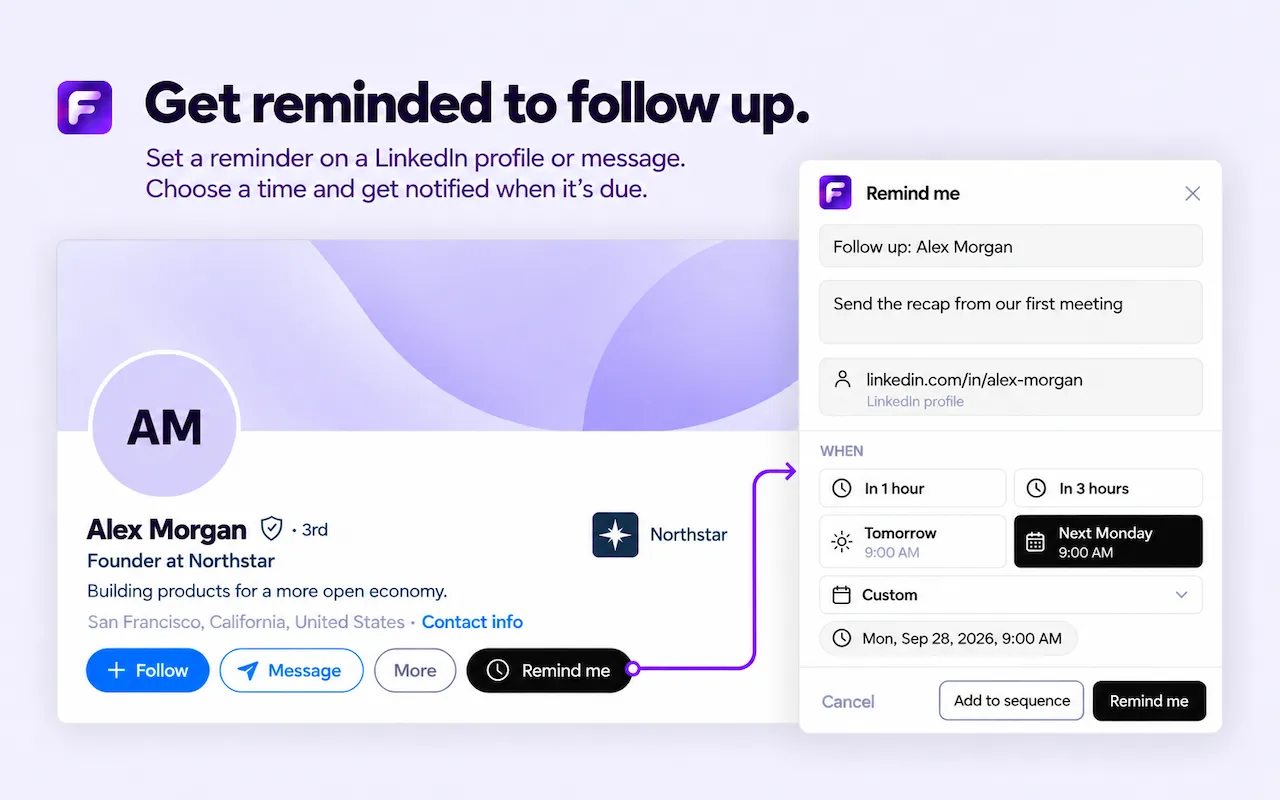
Get reminded to follow up
Set a reminder on a LinkedIn profile and choose when you want to be notified.
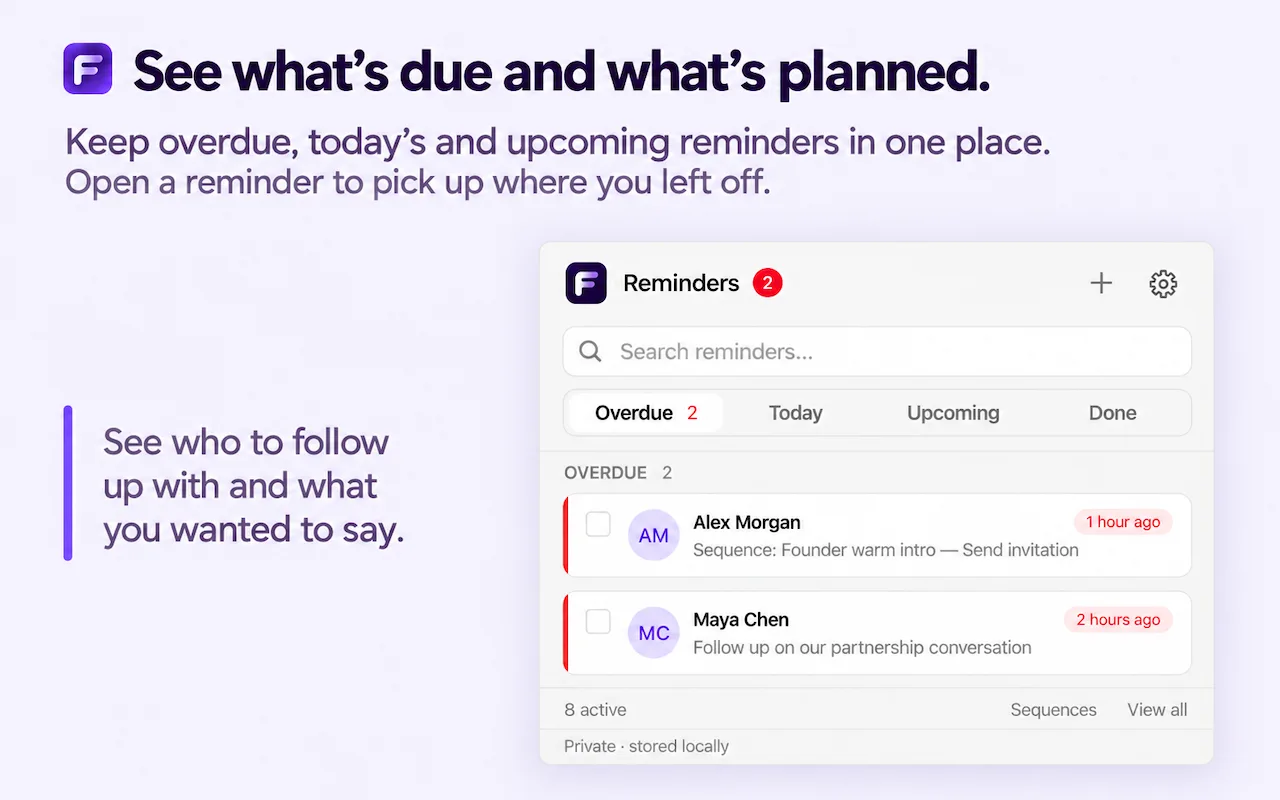
See what's due and what's planned
Overdue, today's, and upcoming reminders in one place.
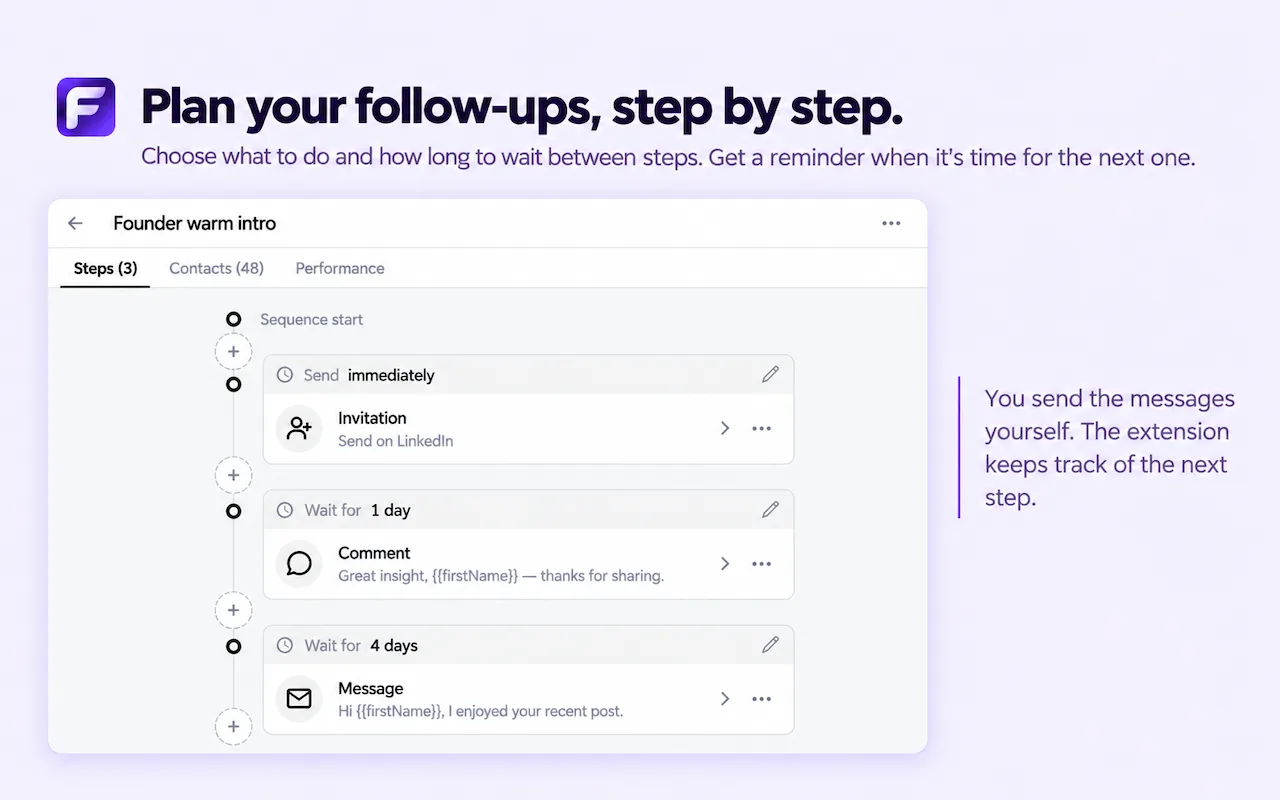
Plan follow-ups step by step
Choose each step and how long to wait before the next one.

Add someone to a sequence
Pick a saved sequence straight from a LinkedIn profile.
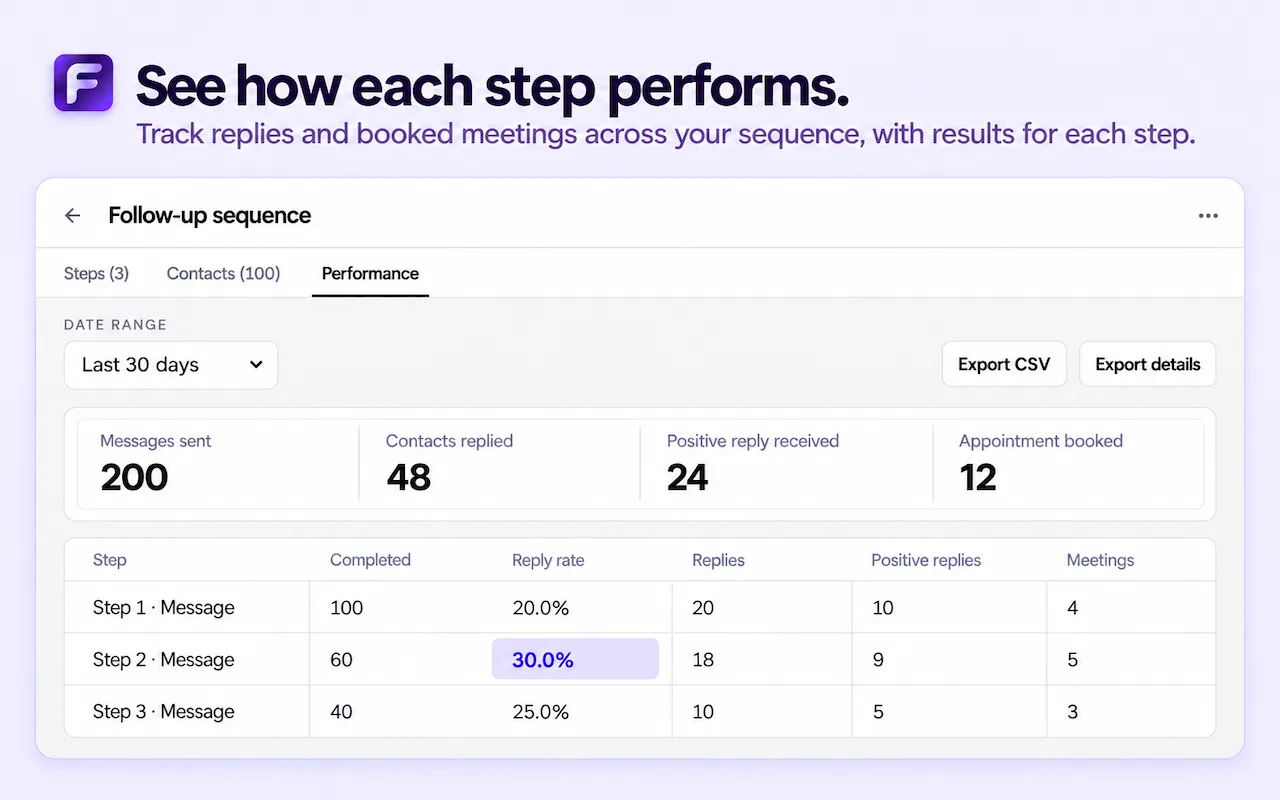
See how each step performs
Replies and booked meetings for every step of a sequence.
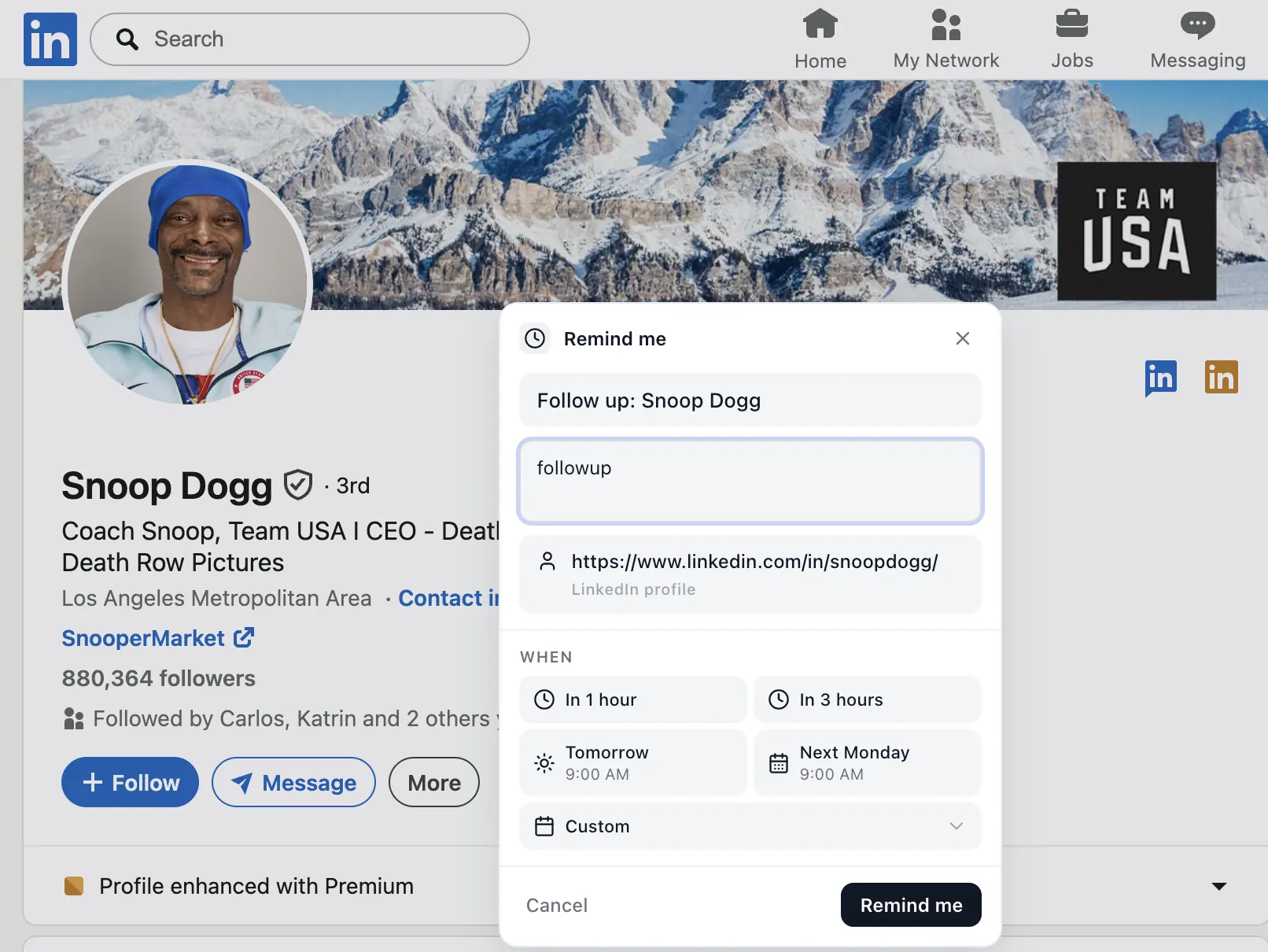
Remind Me popup
Schedule a reminder from any LinkedIn profile, message, or post.
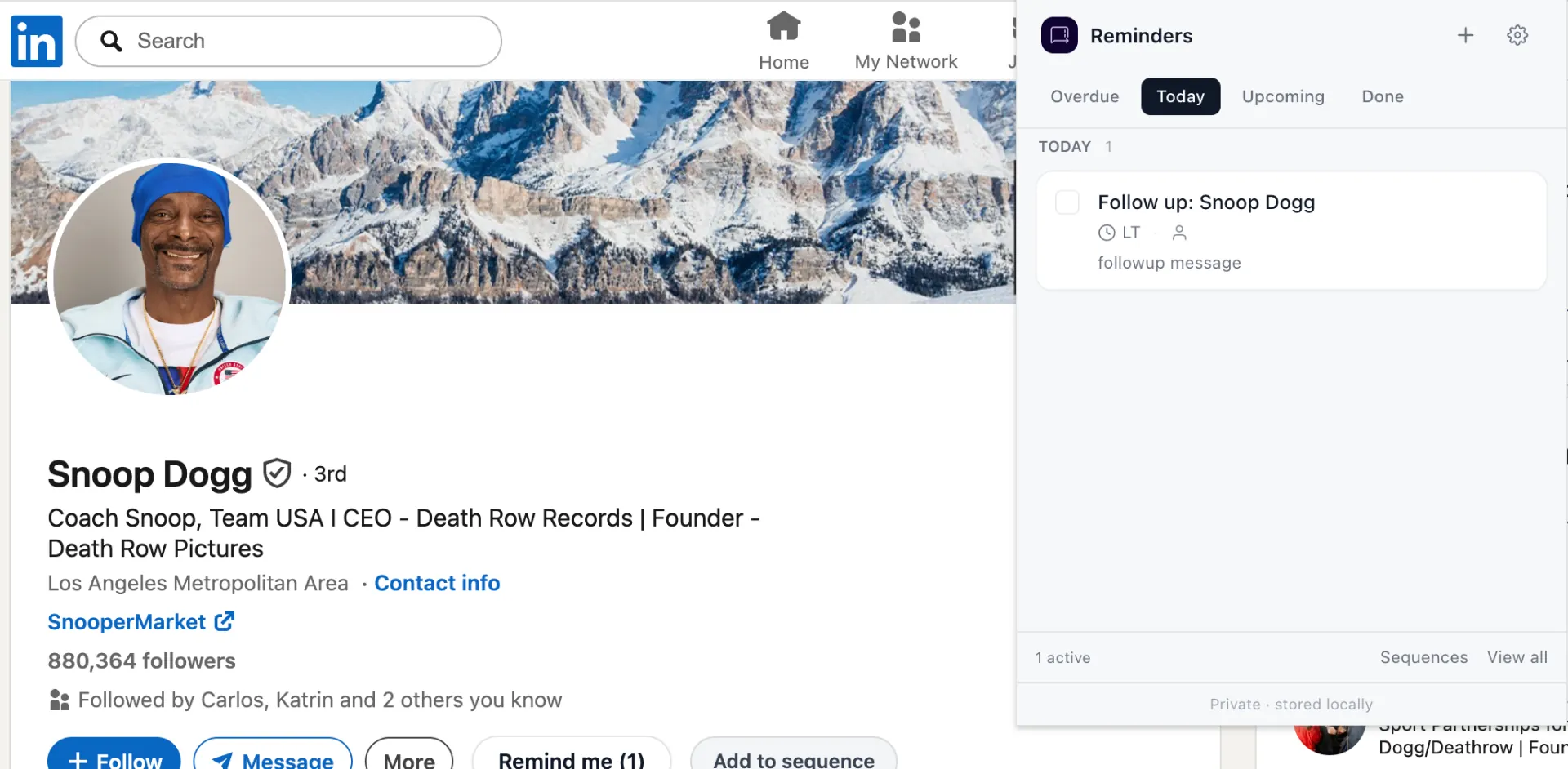
Reminders side panel
All of today's reminders, without leaving LinkedIn.
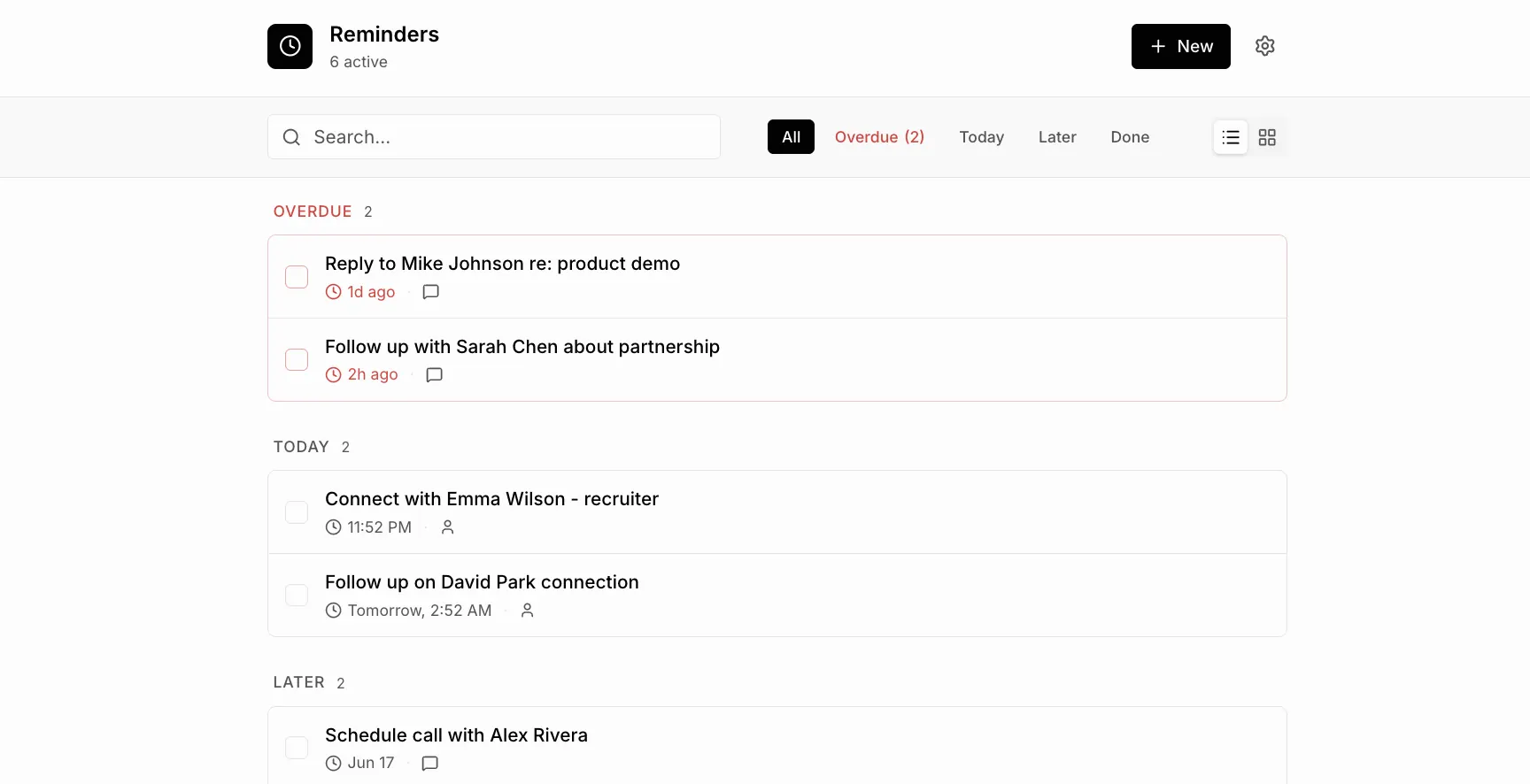
Full reminders list
Grouped by overdue, today, and later. Search and filter.
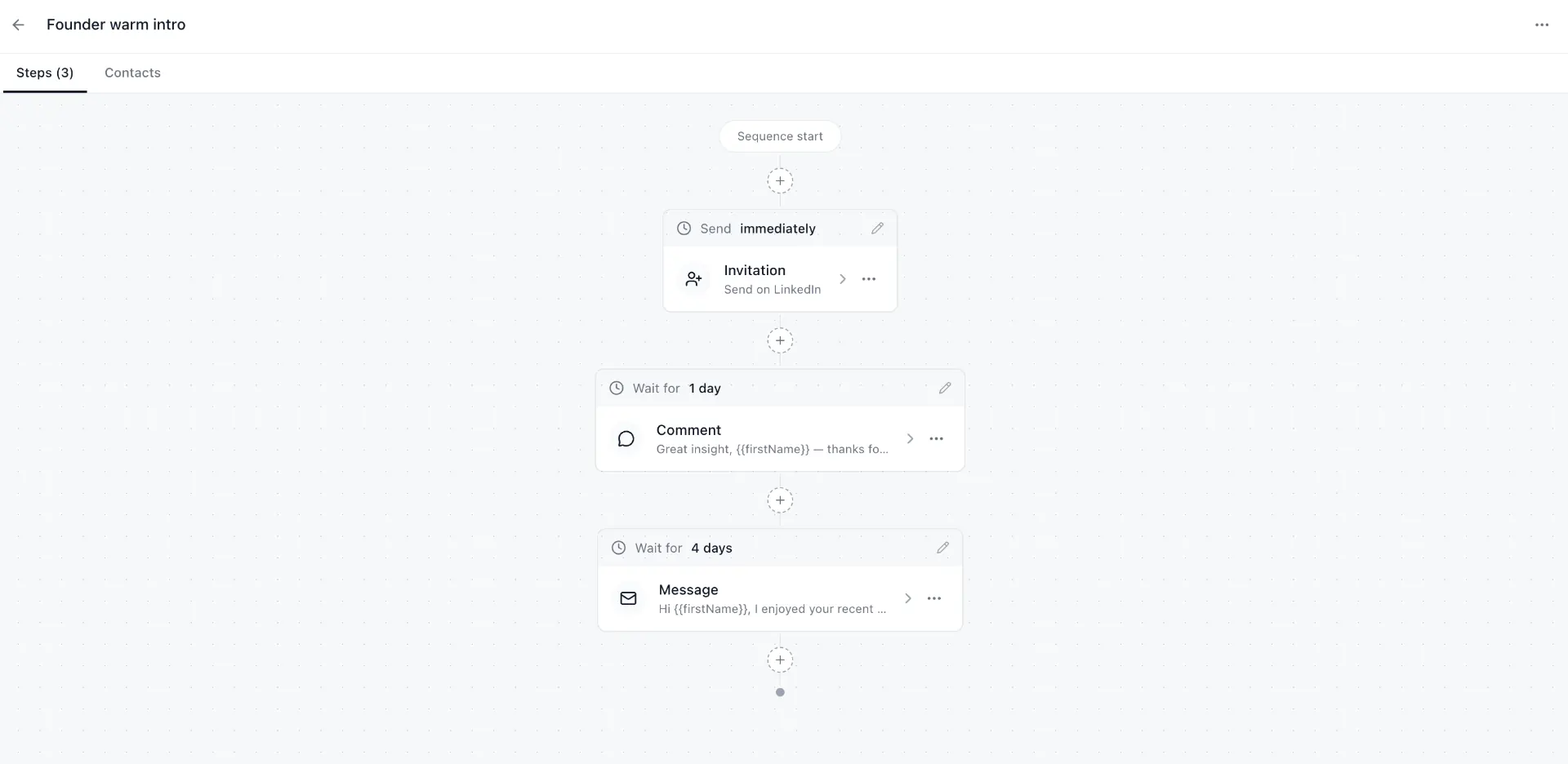
Sequence builder
Multi-step LinkedIn outreach workflows with wait times.
How the screens fit together
Most days start in the reminders list. It shows what is overdue, what is due today and what is planned later, so you can see in a few seconds which LinkedIn conversations need attention. Each reminder links back to the profile, message or post it belongs to, so you are one click away from writing your follow-up.
New reminders are created from the Remind Me popup. Open any LinkedIn profile, message or post, pick a time such as tomorrow or next Monday, and add a short note if you like. The reminder then appears in the list on the day it is due.
For outreach with several touches, the sequence screens take over. You plan each step and how long to wait before the next one, add someone to a saved sequence from their profile, and later see how each step performs. Every message is still written and sent by you; the extension only tells you when it is time.
What you won't see
There is no sign-up screen, no dashboard to configure and no account settings. The extension stores your reminders locally in your browser, so the screens above are the whole product. Read more on the features page or see how your data is handled in the privacy policy.