Chrome extension for LinkedIn
Never forget a LinkedIn follow-up again.
Create reminders directly from LinkedIn profiles, messages, and posts so you always know when to follow up or reply. Lightweight, local-first, and free.
Free · Works on linkedin.com · No account required
The problem
LinkedIn conversations don't end when you close the tab.
Most networking, outreach, and recruiting on LinkedIn requires follow-up — days or weeks later. LinkedIn doesn't give you a simple, personal reminder system, so things slip.
- Messages you meant to reply to
- Prospects you said you'd follow up with
- Candidates worth reconnecting with
- Networking contacts you wanted to check in on
The solution
A reminder system built into LinkedIn.
LinkedIn Reminders adds lightweight follow-up functionality directly inside the pages you already use. Reminders live next to the conversation they belong to.
- Create reminders from profiles
- Create reminders from messages
- Create reminders from posts
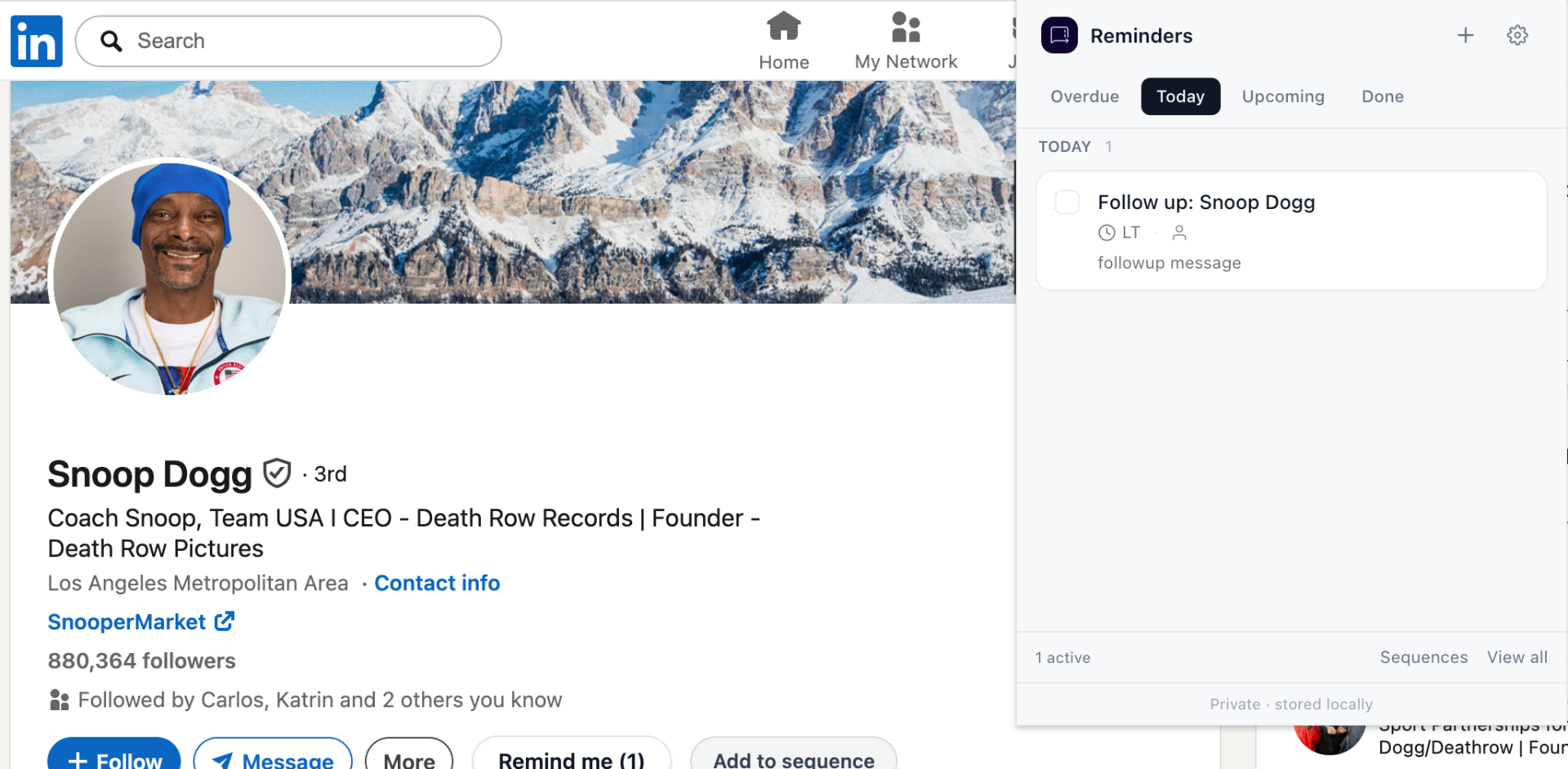
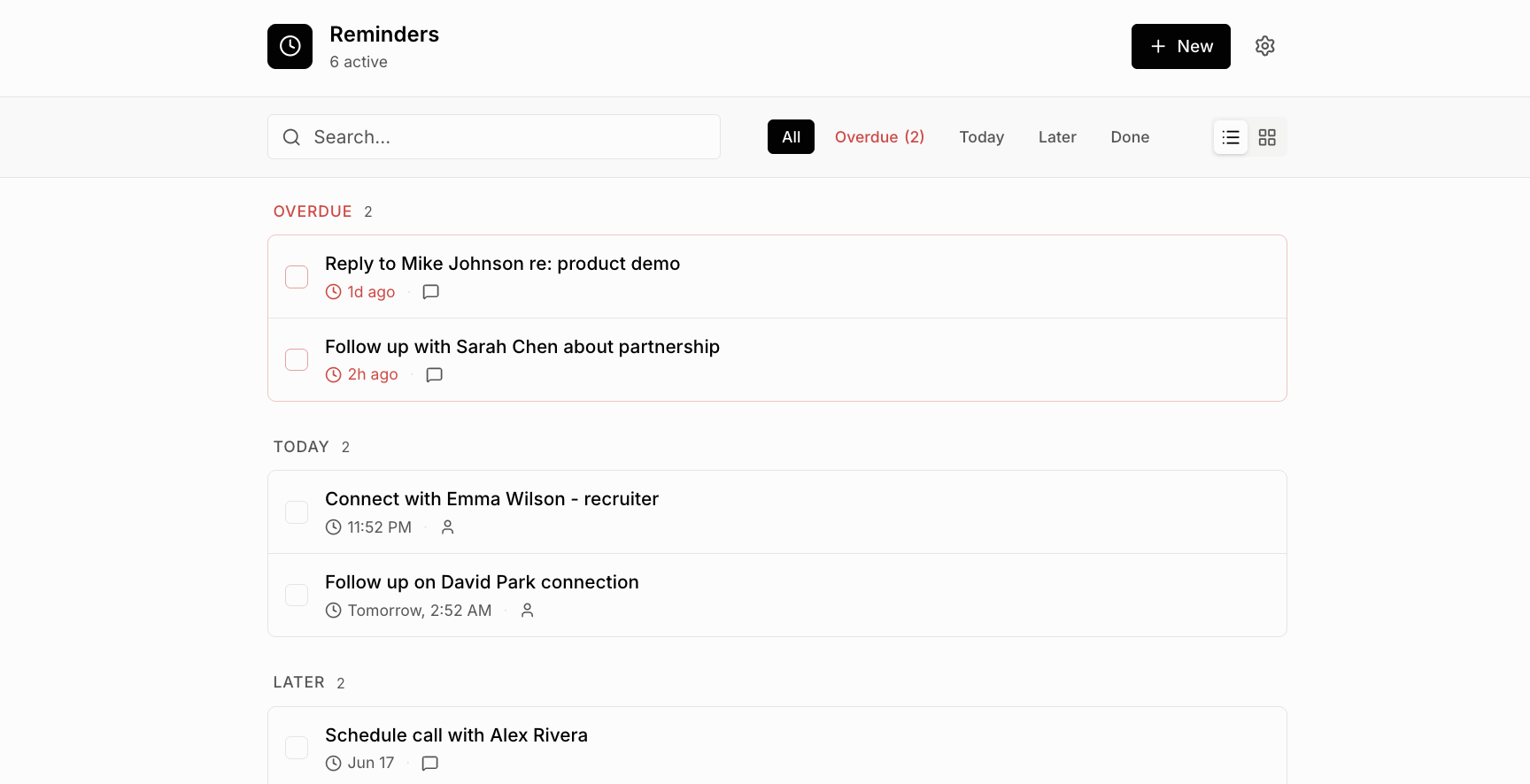
- Track upcoming follow-ups in one place
- Organize outreach with sequences
How it works
Four steps. About ten seconds.
- 01Open LinkedIn
Use LinkedIn like you always do.
- 02Click Remind Me
On any profile, message, or post.
- 03Choose a date
1 hour, tomorrow, next Monday, or custom.
- 04Get reminded later
Reminders appear when you're back on LinkedIn.
Features
Everything you need to follow up on LinkedIn.
LinkedIn message reminders
Set a LinkedIn message reminder from inside any conversation. When you tell yourself “remind me to reply on LinkedIn,” the reminder shows up with a direct link back to the thread — no copy-pasting profile URLs, no separate to-do list.
LinkedIn profile reminders
Save any LinkedIn profile with a follow-up date. A LinkedIn profile reminder includes the person's name and profile URL, so when you're ready to follow up with a LinkedIn contact you have one click back to where you left off.
Save a LinkedIn post for later
Found a post you want to engage with later? Save the LinkedIn post for later with a LinkedIn post reminder. Useful for thoughtful comments, sharing with your team, or coming back to long-form posts when you have time.
Sequences for LinkedIn outreach workflows
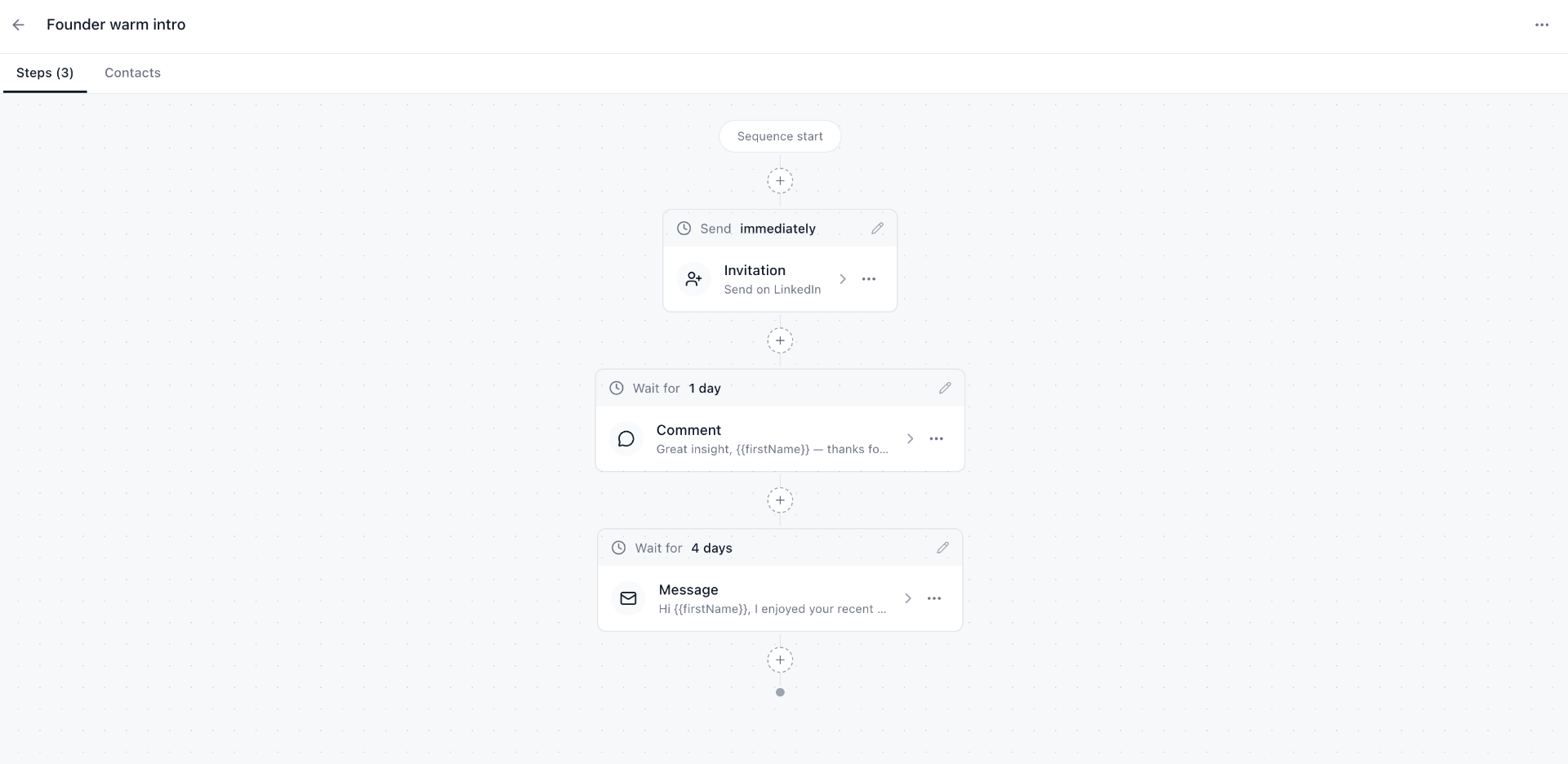
Build a LinkedIn follow-up sequence with multiple steps — invitation, comment, message — and wait times between each. A clean way to run repeatable LinkedIn outreach workflows without leaving the site.
Privacy
Your data stays in your browser.
LinkedIn Reminders is local-first. Reminders are stored using Chrome's local storage — there is no server, no account, and no CRM sync. Uninstall the extension and the data goes with it.
Reminders live in your browser, not on a server.
You never sign up. The extension just works.
Built for individuals, not pipelines.
Read the full privacy policy.
Who uses it
Built for anyone who lives in LinkedIn DMs.
Save candidate profiles with a follow-up date after each outreach round.
Remind yourself to reply to a prospect 3 days after a demo.
Queue investor follow-ups without leaving a candidate in a stale thread.
Track warm intros and check back on portfolio company updates.
Keep partnership conversations moving across timezones.
Follow up on applications without sending awkward back-to-back messages.
Reconnect with old colleagues on a regular cadence.
See more examples by role.
Screenshots
See it inside LinkedIn.
From the blog
Popular reads
- Best LinkedIn CRM alternative
Why most solo founders and sellers don't need a CRM — they need reminders.
- Reply later on LinkedIn
Save any message or post in one click and get pinged when it's time to reply.
- How to follow up on LinkedIn
A step-by-step playbook with timing rules and templates that actually get replies.
FAQ
Common questions
How do I set reminders on LinkedIn?
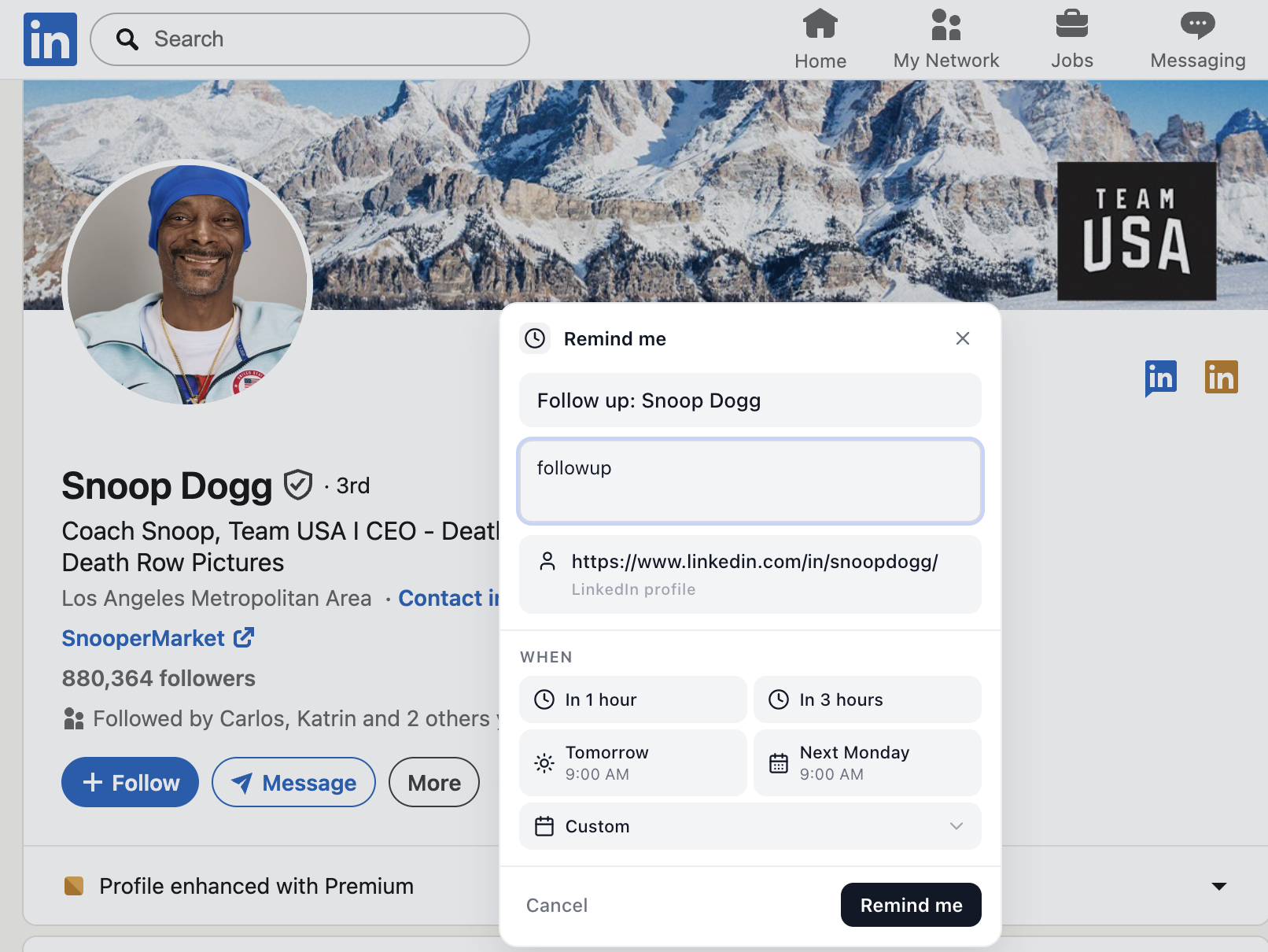
Install the LinkedIn Reminders Chrome extension. A "Remind me" button appears on LinkedIn profiles, messages, and posts. Click it, choose when you want to be reminded (in 1 hour, tomorrow, next Monday, or a custom date), and the reminder is saved locally.
Can I create reminders for LinkedIn messages?
Yes. Inside any LinkedIn conversation you can click "Remind me" to schedule a reply. When the time comes, the reminder shows up in your Reminders panel with a link back to the message thread.
Can I save LinkedIn profiles for follow-up?
Yes. On any LinkedIn profile, click "Remind me" to save it with a follow-up date. Your reminder includes the profile name and link so you can pick up the conversation later.
Does LinkedIn Reminders store my data?
All reminders are stored locally in your browser using Chrome storage. Nothing is sent to a server. There is no account, no CRM sync, and no third-party tracking.
Is LinkedIn Reminders free?
Yes. The extension is free to install from the Chrome Web Store.
Can I create follow-up sequences?
Yes. Sequences let you queue a series of steps — an invitation, a comment, a message — with wait times between each. Use them for warm intros, recruiter outreach, or any repeatable LinkedIn workflow.
Does it work on the LinkedIn mobile app?
The extension runs in Chrome on desktop. It works on linkedin.com in any Chromium-based browser (Chrome, Edge, Brave, Arc).
Is this affiliated with LinkedIn?
No. LinkedIn Reminders is an independent Chrome extension. LinkedIn is a trademark of LinkedIn Corporation.
Add LinkedIn Reminders to Chrome.
Free. Local-first. No account required. Install once and the Remind Me button appears on linkedin.com.