
Features
Everything you need to follow up on LinkedIn.
Everything is lightweight, local-first, and free — no CRM, no automation, no account required.
LinkedIn message reminders
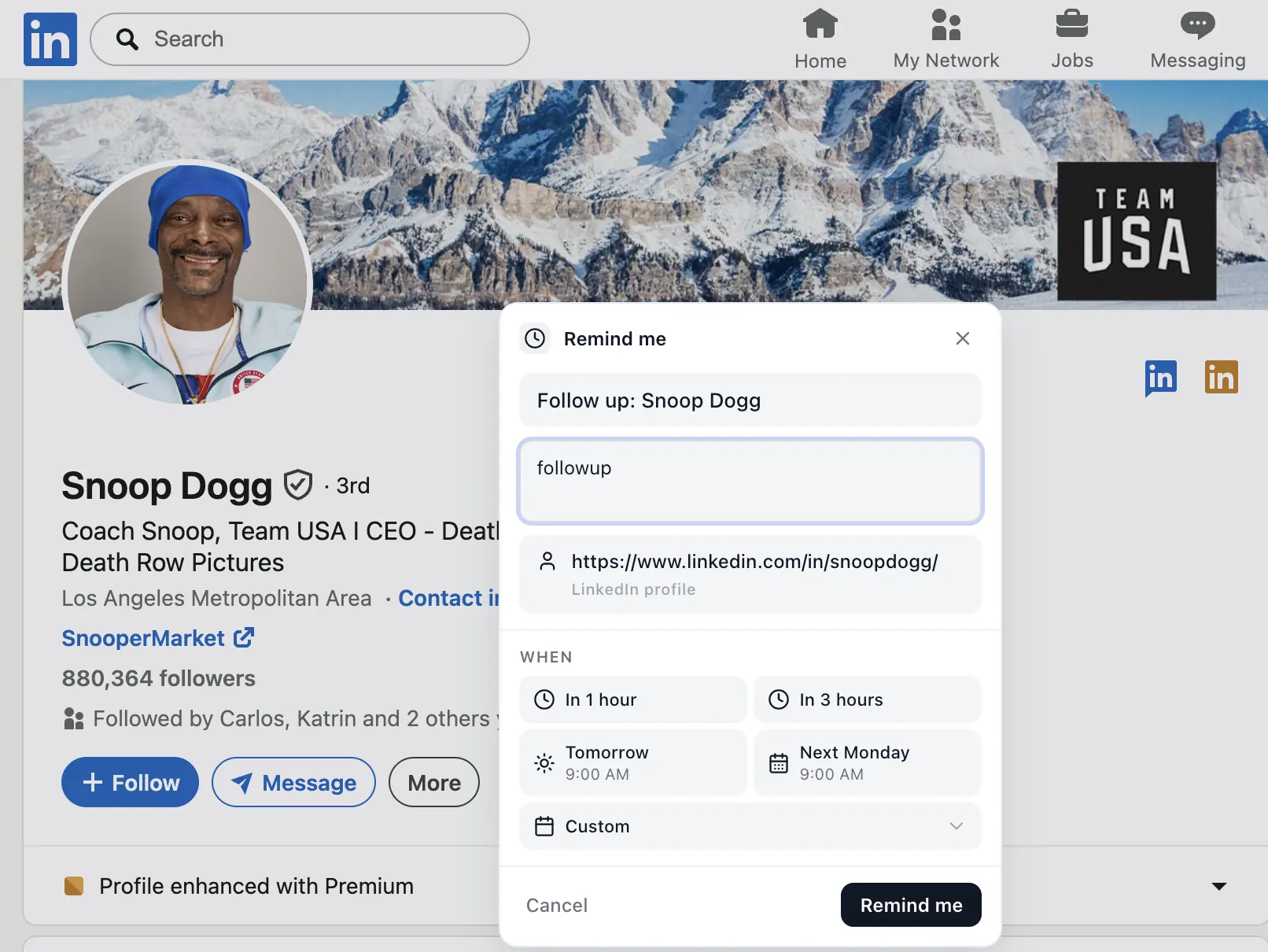
Set a reminder from inside any LinkedIn conversation. When you tell yourself "remind me to reply on LinkedIn," the reminder shows up with a direct link back to the thread — no copy-pasting profile URLs, no separate to-do list.
LinkedIn profile reminders
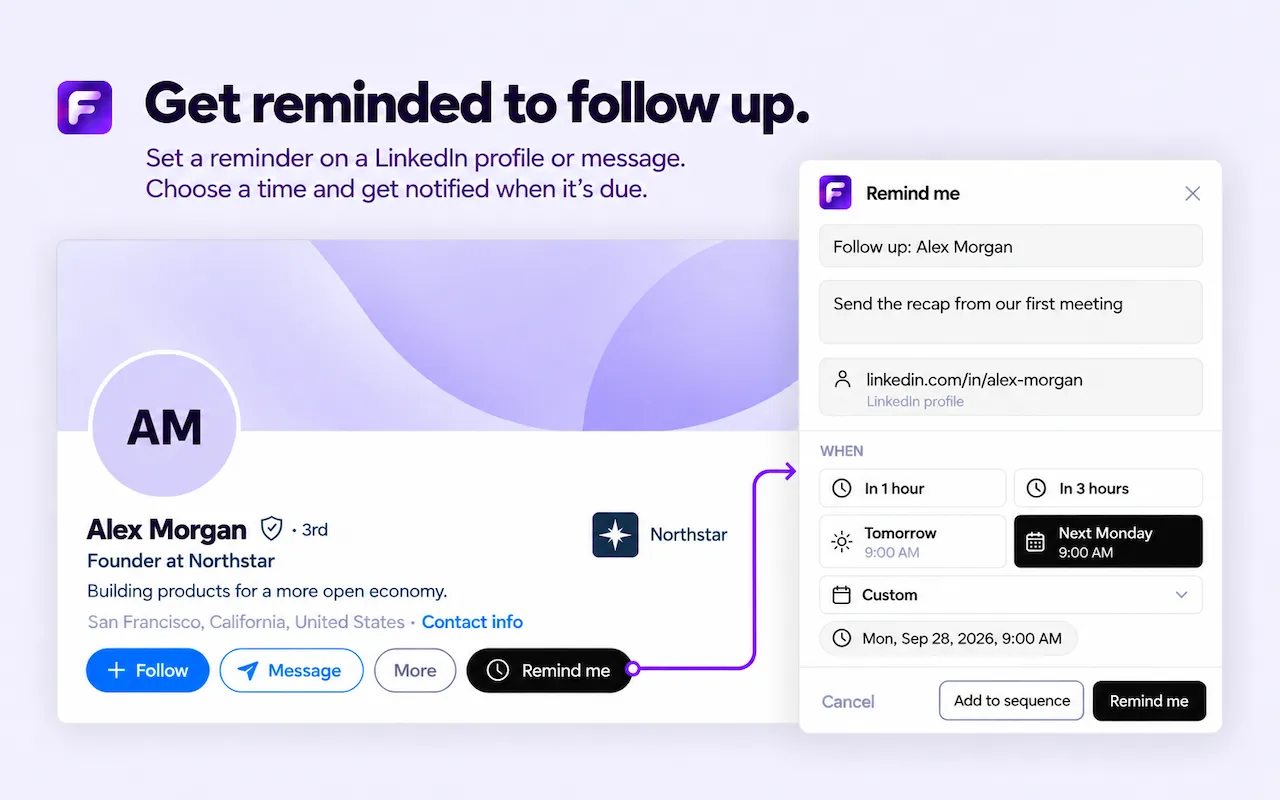
Save any LinkedIn profile with a follow-up date. A LinkedIn profile reminder includes the person's name and profile URL, so when you're ready to follow up with a LinkedIn contact you have one click back to where you left off.
Save a LinkedIn post for later
Found a post you want to engage with later? Save the LinkedIn post for later with a LinkedIn post reminder. Useful for thoughtful comments, sharing with your team, or coming back to long-form posts when you have time.
Sequences for LinkedIn outreach workflows
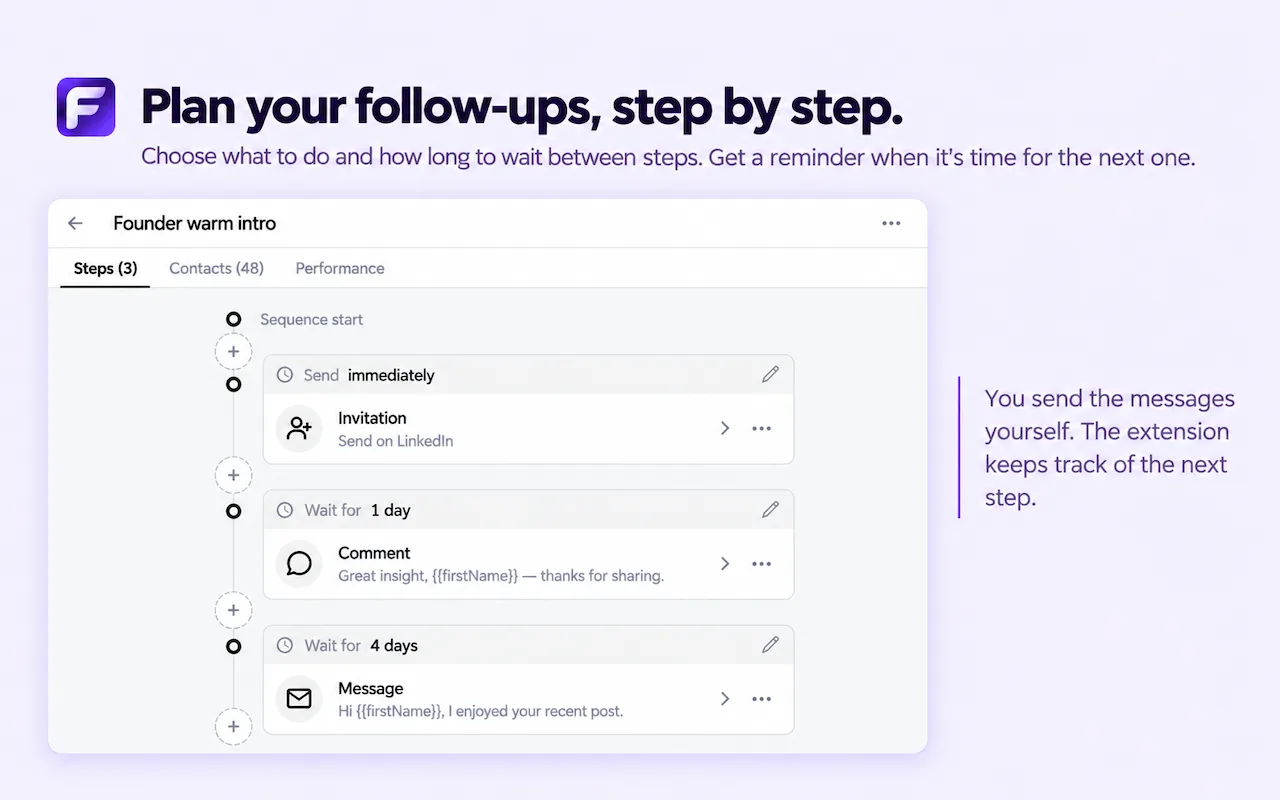
Build a LinkedIn follow-up sequence with multiple steps — invitation, comment, message — and wait times between each. A clean way to run repeatable LinkedIn outreach workflows without leaving the site.
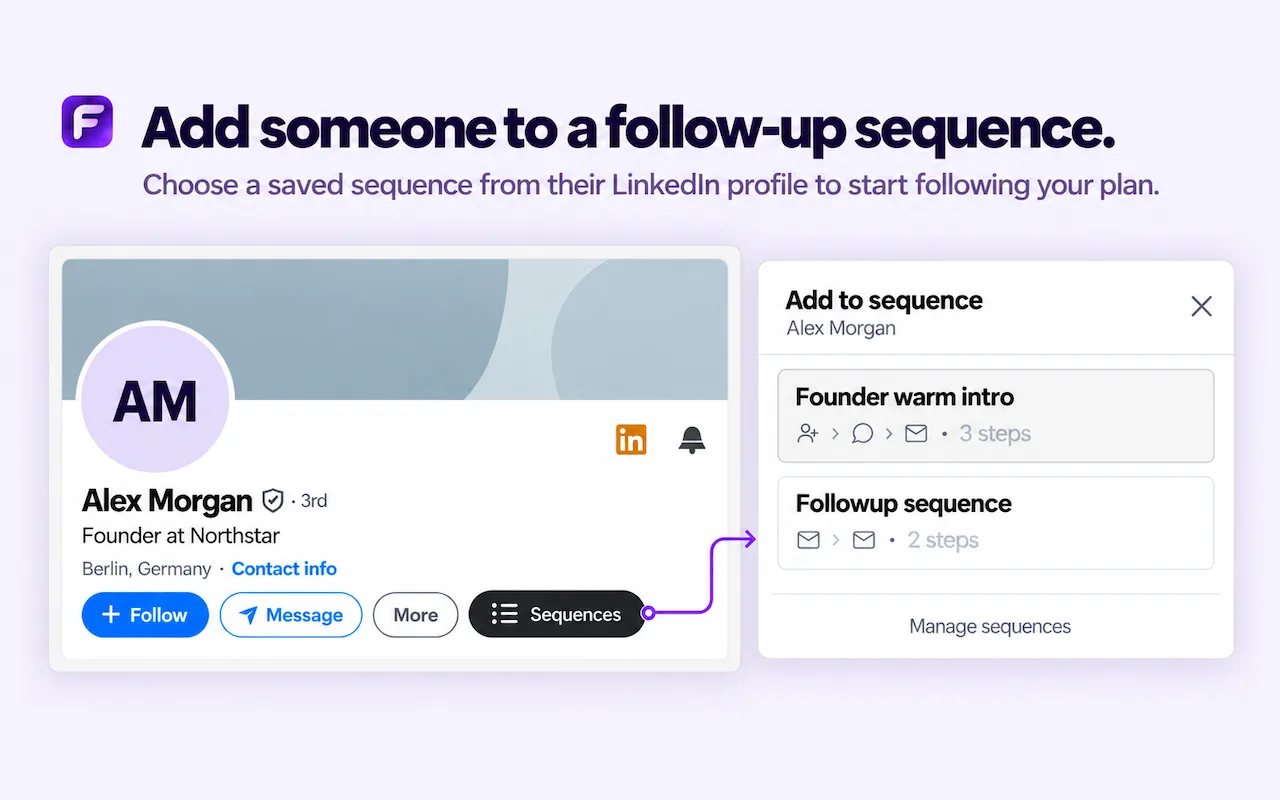
Add someone to a sequence from their profile
Open a LinkedIn profile, click Sequences, and pick a saved plan. The person is added and you get a reminder when each step is due — you still send every message yourself.
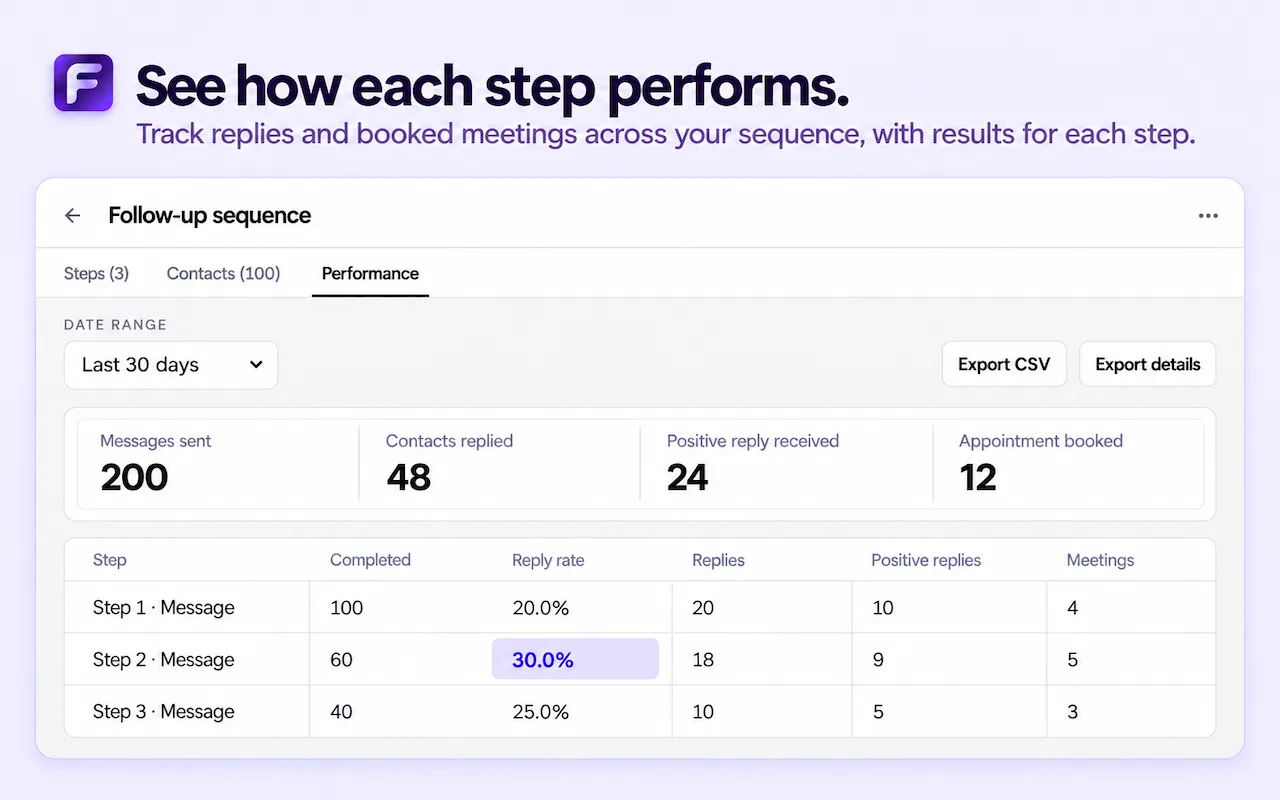
See how each step performs
Track replies, positive replies, and booked meetings for every step of a sequence, and export the results as CSV when you want to review them elsewhere.
See every screen on the screenshots page, or read the FAQ.
Reminders that live in the thread
The Remind Me button sits inside LinkedIn itself, on profiles, message threads and posts. You never copy a URL into another app: the reminder is attached to the page you're on, and when it's due it opens that exact place again.
Quick time presets
Pick in 1 hour, tomorrow, next Monday, or any custom date and time. Presets cover most follow-ups in one click; the custom option handles "check back after the quarter" promises.
One list for every follow-up
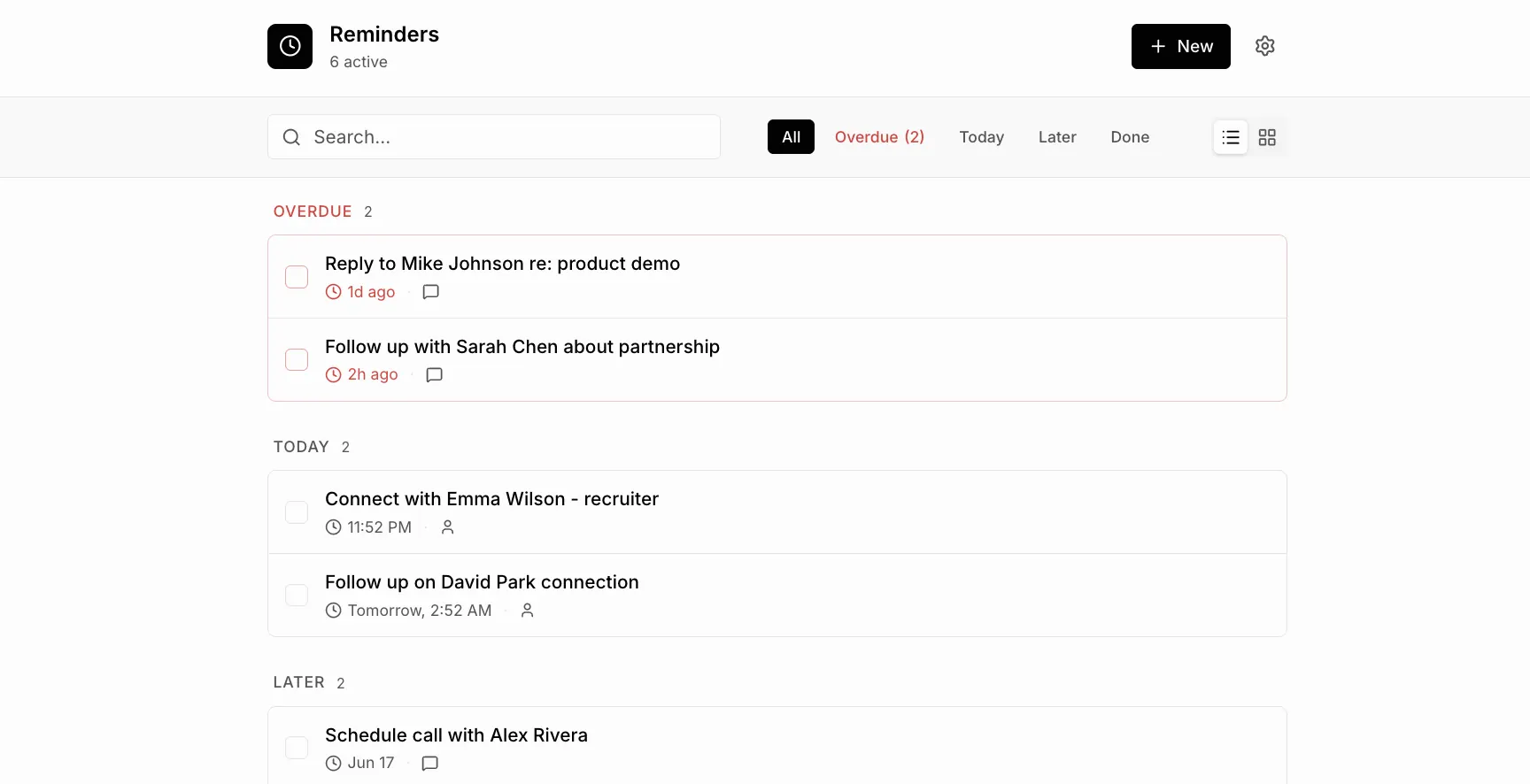
The reminders list groups everything into overdue, today and later. Mark items done, reschedule them, or jump straight back into the conversation. A weekly look at this list is often all the pipeline management a solo user needs.
Local-first privacy
Reminders are saved in Chrome's local storage on your device. There's no server, no account and no syncing to a third party. The extension doesn't send messages or automate anything on LinkedIn, so it stays within how LinkedIn expects you to use it.
No sign-up, no setup
Install from the Chrome Web Store, refresh LinkedIn, and set your first reminder. There's nothing to import and no fields to configure, which is the main difference from a CRM.
Who it's for
Founders keeping track of investor and customer intros, recruiters following up with candidates, freelancers waiting on proposals, and anyone who has ever thought "I'll reply to that later" and then forgot. If that sounds familiar, the free extension is built for exactly that moment: capture the follow-up while the conversation is open, and let the reminder bring it back when it matters.