Why LinkedIn follow-ups are different
LinkedIn isn't email. The inbox is noisier, replies are slower, and most people only check messages a few times a week. A good follow-up cadence on LinkedIn respects that — it gives people time to respond, references the previous context, and doesn't pile up unread messages.
When to follow up
A simple rule of thumb based on the type of conversation:
- Cold outreach — 3 to 5 business days after the first message.
- Warm reply gone quiet — about a week after the last reply.
- Investor or hiring conversation — 7 to 10 days, with a clear update.
- Networking check-ins — every 60 to 90 days for weak ties.
Following up from a profile
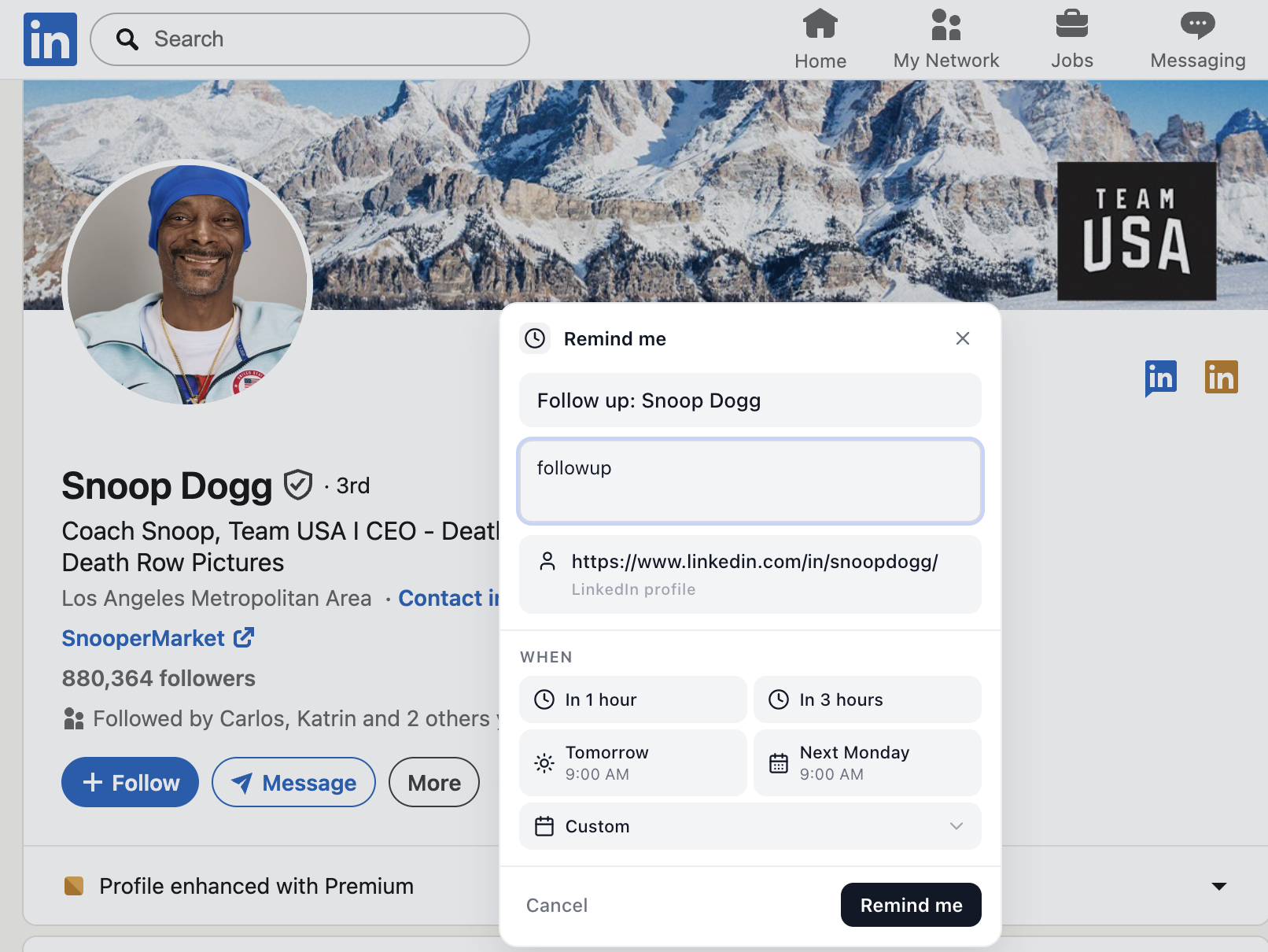
When you find someone worth talking to but it's not the right moment, don't bookmark the tab. Open their profile, click Remind me, and pick a date. The reminder includes the profile name and link, so the follow-up is one click away — no searching, no copy-pasting URLs.
Following up on a message
Inside any LinkedIn conversation, schedule a reply for when you actually have time to write a thoughtful one. This works better than starring or marking unread, because the reminder shows up in your follow-ups list with a direct link back to the thread.
Following up on a post
Posts disappear fast. If you want to comment after thinking, share with a teammate, or revisit when you have context, save the post with a reminder. You'll get it back at the right time without scrolling through your feed.
Short follow-up templates that work
- "Circling back on this — happy to send a quick Loom if it's easier than a call."
- "Wanted to bump this before it gets buried — totally fine if the timing's off."
- "Following up from {event} — still curious to hear how you're approaching {topic}."
Stop relying on memory
The reason most follow-ups never happen isn't laziness — it's that they live in your head instead of in a system. A lightweight reminder layer built into LinkedIn fixes that without forcing you into a CRM.
Frequently asked questions
How long should I wait before following up on LinkedIn?
For a cold outreach message, wait 3–5 business days. For a warm reply that's gone quiet, wait about a week. For an investor or hiring conversation, 7–10 days is normal. The goal is to be present without being annoying.
How many times can I follow up on LinkedIn?
Two to three follow-ups is the practical ceiling for cold outreach. After that, you're better off pausing for a few months and re-engaging on a post or a relevant trigger.
Is it weird to follow up on LinkedIn after weeks of silence?
No — as long as the message is short, references the previous thread, and offers a clear reason to reconnect. A reminder system helps you do this with context instead of a generic bump.