
Dripify vs Follow Up Reminder at a glance
| Dripify | Follow Up Reminder | |
|---|---|---|
| Main job | Automated LinkedIn drip campaigns | Planned sequences you run by hand |
| Sequence steps | Executed by the tool | You get reminded, then act |
| Personalization | Templates with variables | Every message written in context |
| Price | Paid monthly plans | Free |
| Setup | Account, campaign setup, connected LinkedIn | Install the extension, no account |
| Where data lives | In the vendor's cloud | Locally in your browser |
Pricing and features of Dripify change over time, so check their website for current details. This comparison focuses on how the two tools approach LinkedIn follow-ups.
What Dripify does well
Dripify is a cloud tool for automated LinkedIn campaigns. You build a drip — visit profile, invite, message, follow-up — and it executes those steps across a list of leads, with team management and campaign stats on paid plans.
The problem with automated drips
Automated drips scale, but they come with costs. LinkedIn does not allow automated activity, so running campaigns from a cloud tool carries account risk. And because every step is scheduled in advance, the messages cannot react to what the person just posted or said. Recipients often recognize a template on the second follow-up.
Keep the sequence, drop the bot
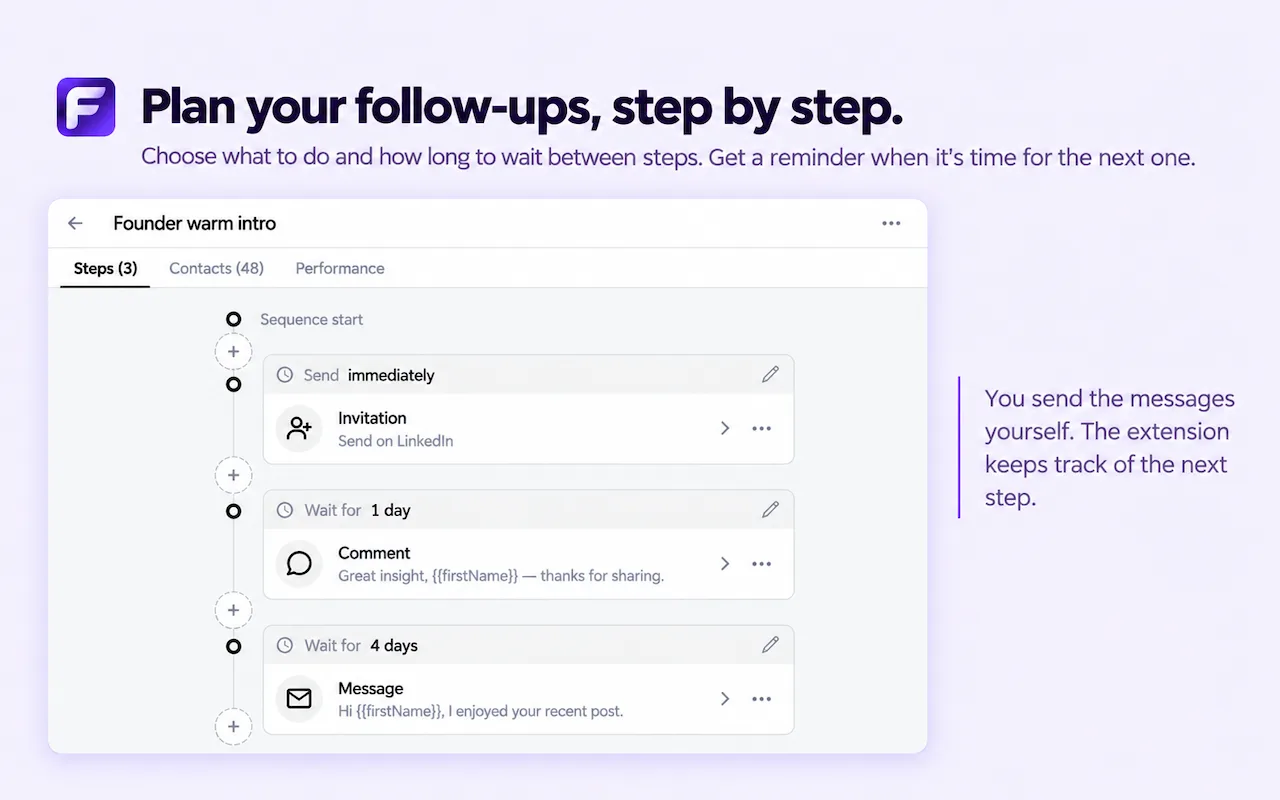
Follow Up Reminder lets you design the same kind of plan: steps like invite, comment on a post, send a message, follow up after five days. Add a person to a sequence from their LinkedIn profile, and the extension reminds you when each step is due. You look at their latest activity, write a short message that fits, and mark the step done. The cadence stays consistent, and every touch stays personal.
When Dripify is the better choice
If you manage outreach for several team members and need volume reporting across many campaigns, an automation platform is built for that job. Follow Up Reminder is for individuals who prefer to stay hands-on.
Choose Follow Up Reminder if…
- You want a repeatable cadence without automation.
- You care more about reply quality than send volume.
- You want to see each step's results without a paid plan.
- You want your data to stay in your own browser.
See every capability on the features page, or read how to follow up on LinkedIn for timing and wording tips. Whatever you pick, the habit matters most: end each conversation by deciding the next step and when you'll take it.