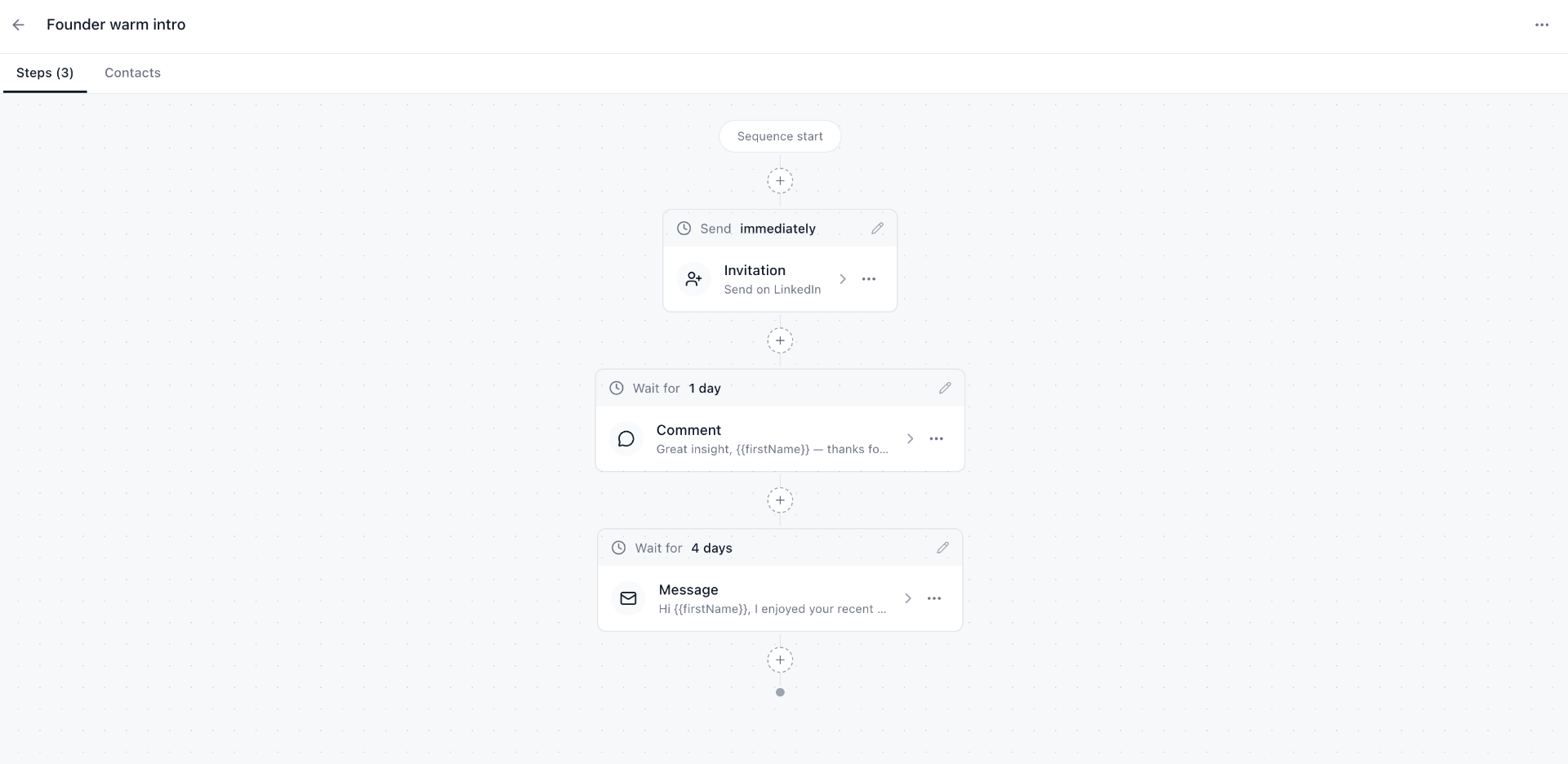
What a manual sequence looks like
- Day 0 — send a connection request with a 1-line note.
- Day 2 — engage with a recent post (real comment, not an emoji).
- Day 4 — send the first message.
- Day 9 — follow up with a piece of value (a relevant article, a Loom).
- Day 21 — final check-in, then move on.
Why manual beats auto-send
Auto-send tools get accounts restricted, produce generic messages, and damage your reputation when the templates leak. A reminder-driven workflow keeps every action human while still being repeatable.
Build it once, reuse it
With LinkedIn Reminders, you build the sequence once on the canvas. For every new prospect, attach the sequence and each step appears in your reminders queue at the right time.
Frequently asked questions
Are LinkedIn outreach sequences safe?
Auto-sending sequences risk your LinkedIn account. Manual sequences that just remind you what to do next are safe — you do every action yourself.
What's in a typical outreach sequence?
Connection request, engagement on a recent post, intro message, value follow-up, and a final check-in — spaced over 2–4 weeks.